 Grox
01
Scan it
Point the camera at the barcode. Grox looks the product up and fills in the name. Or snap the label and it reads the date for you.
Grox keeps every expiry date in your fridge, freezer and pantry, and puts what to use today at the top. Scan a barcode, set the date, done.
Android beta now · Google Play soon
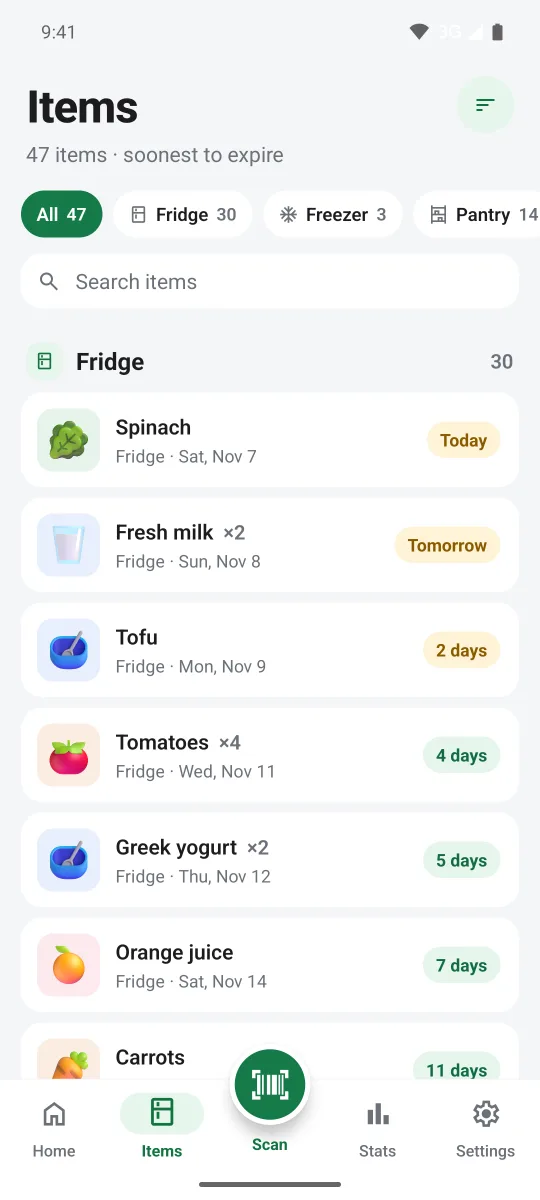
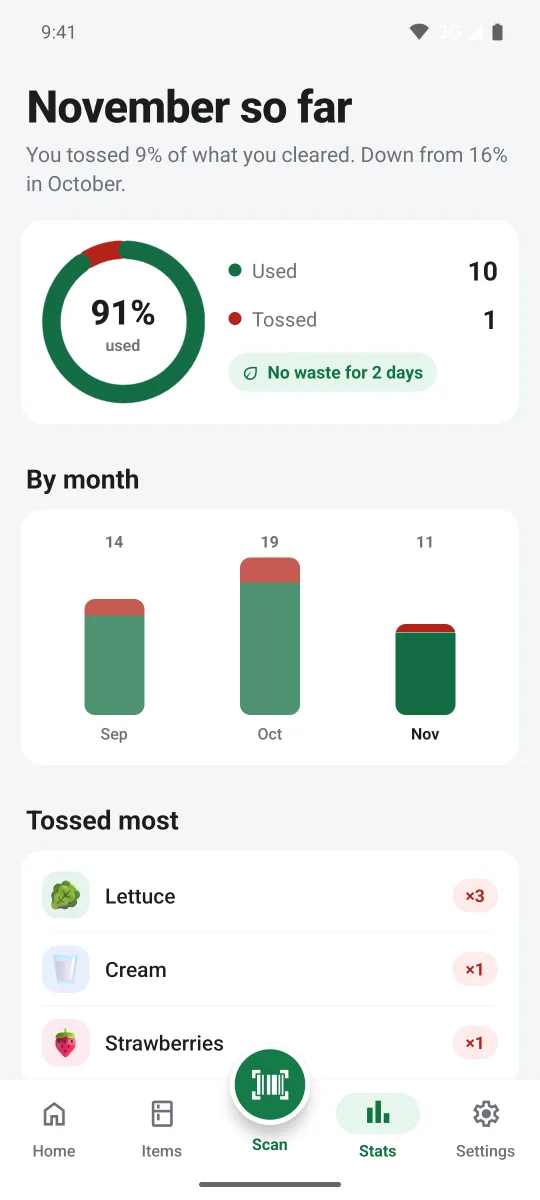
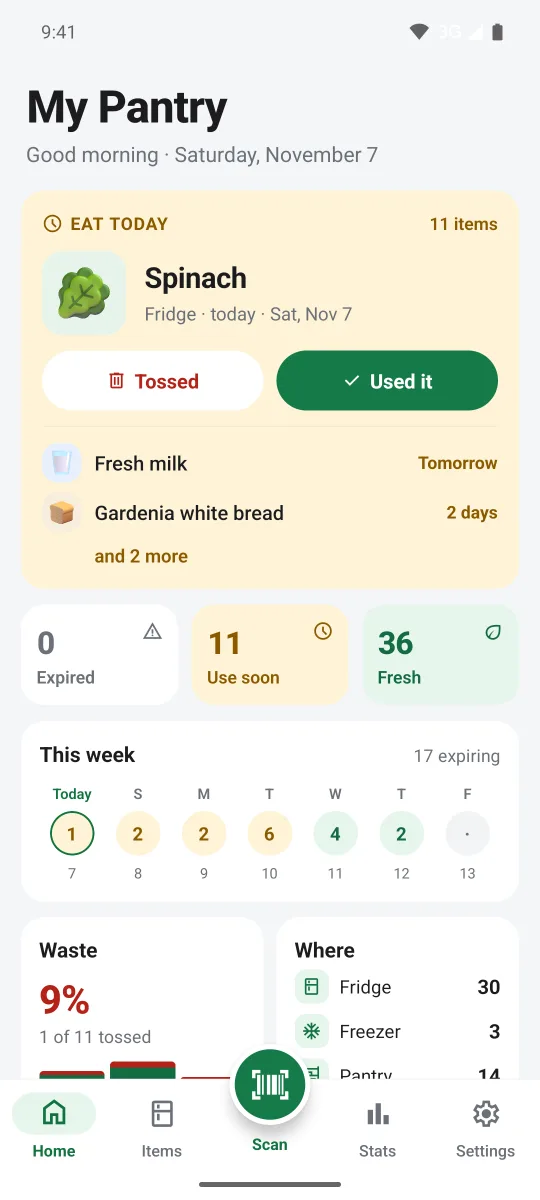



This is a real week in a Grox pantry. Drag the slider to move time forward, then mark things used or tossed, just like in the app.
Tap ✓ when you use something up and the bin when you throw it out. Watch what happens when nobody does.
1 to use today
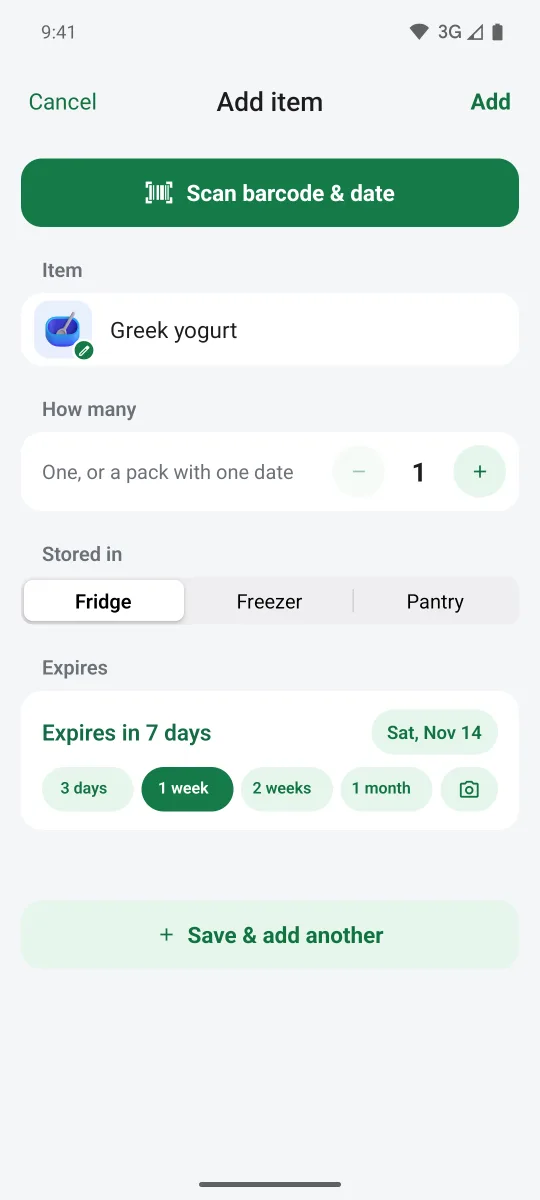
No typing in long lists. Grox reads what it can, remembers what it learns, and only asks you for the date.
Point the camera at the barcode. Grox looks the product up and fills in the name. Or snap the label and it reads the date for you.
Type the date or tap 3 days, 1 week, 1 month. Grox remembers where each food lives and how long it lasts, so next time it's filled in.
Home shows what to use today and what's next. A morning summary and a home screen widget keep it in front of you.
Every "used it" and "tossed" counts. Stats show what you threw away each month, and what you toss most.
Grox shows up where you already are: the home screen, the morning notification, the shade you pull down. You don't have to remember to open it.
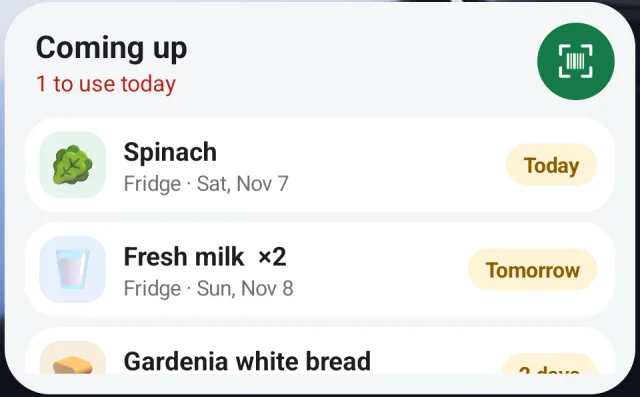
"Coming up" sits on your home screen with today's items on top. Tap the scan button to add groceries straight from the widget.
One quiet summary, only on days something is due.
Used versus tossed, month by month, and the foods you toss most.
Everything grouped by where it lives, with counts, filters and sorting.
An optional shortcut in your notifications opens the scanner in one tap.
Snap the date on the pack. Grox finds the expiry among the other numbers.
 0 sign-ups
No account needed. Your pantry lives on the device, with backup and restore to a file whenever you want.
Share the pantry with the people you live with. When someone adds the milk or finishes the bread, every phone knows in seconds.
Grox is in a private Android beta. Know someone who's testing it? Ask them for an invite. Everyone else: it's coming to Google Play.